Cloud Backup Security Best Practices for Businesses
How Secure Is Cloud Backup? Best Practices for Data Protection
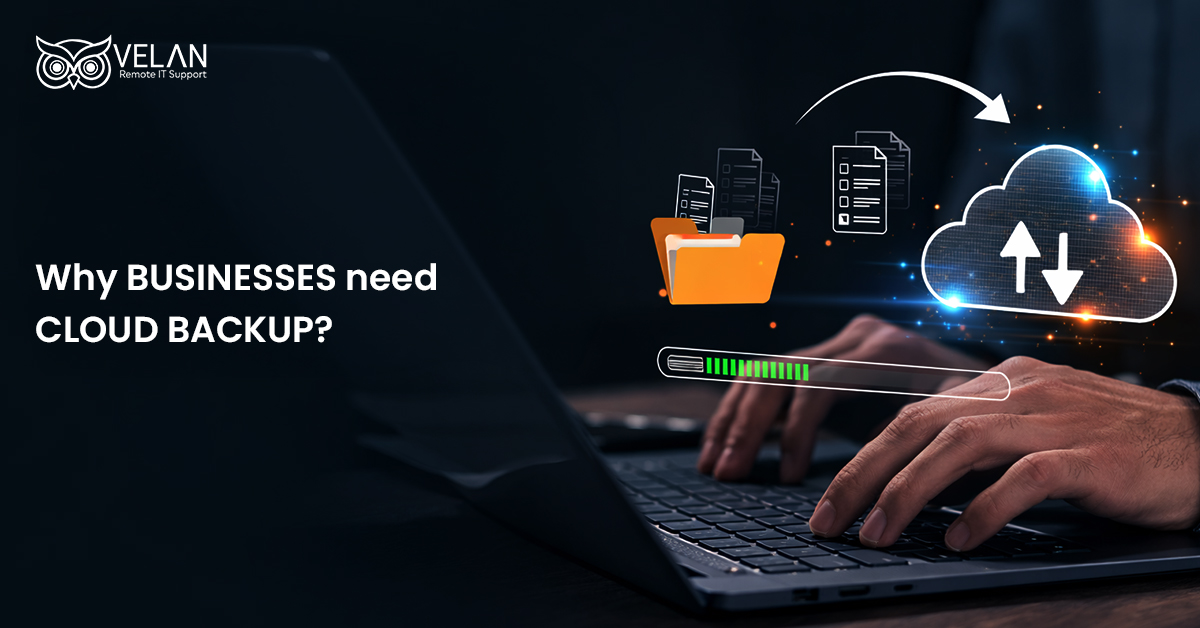
Unlike the traditional method, in which data is stored on physical servers or external hard drives, modern backup strategies use clouds like AWS, Azure, and GCP to copy and store data. Clouds offer remote servers that are flexible and easy to access from anywhere.
For businesses in healthcare, manufacturing, and e-commerce sectors that require continuous data access, cloud backup becomes a basic IT need.
- Protects from data loss due to hardware failures, cyberattacks, or accidental deletion.
- Cloud backup solutions are generally automated. This reduces manual effort.
- Ensures backups are performed regularly and consistently.
Cloud Backup Vs Local Backup
Cloud Backup
- Keeps your data safe from fires, floods, theft, and other local problems.
- Copies and saves data on a pre-set schedule without manual work.
- Restore data from anywhere.
- Automation ensures consistency.
Local Backup
- Data is kept in a less protected environment. Can be easily damaged by natural disasters and hardware problems.
- Requires manual intervention to connect and manage the backup device.
- No consistency in backup execution when not automated.
Why Do Businesses Need Cloud Backup?
For every business, its customer and business data are the most important assets. Having easy and smooth access to business applications, systems, databases, and files is essential not only for maintaining smooth operations but also for serving customers without disruption. Otherwise, the business may face loss of customer trust and finances in the event of any data loss.
As cloud backups facilitate easy and reliable data restoration, business continuity is ensured during unexpected incidents. They also support compliance requirements and protect critical information.
Cloud Backup Benefits
- Keeps valuable data secure from loss and cyberattacks.
- Stores backup data securely away from primary systems.
- Enables quicker data recovery during unexpected disruptions.
- Reduces the need for physical backup hardware.
- Easily scales to accommodate growing data volumes.
How Does a Cloud Backup System Work?
With cloud backup solutions, data from your IT systems can be regularly copied and stored to a safe cloud storage location. MSPs automate cloud backup processes to ensure that data is copied at regular intervals without fail. The backup is scheduled to run at regular intervals to ensure that data backup remains up-to-date.
Steps involved in the cloud backup process
- Selects the important data that needs to be backed up.
- Encrypts the data before sending.
- Transfers the protected data to cloud storage.
- Stores backup copies securely in remote locations.
- Allows data to be restored whenever needed.
All these together ensure that the data is protected and can be restored in the event of any disruption.
Different Types of Cloud Backup
Depending on the business type and recovery needs, cloud backups are planned.
Some of the common cloud backup approaches include
- Full backup replicates all selected data in a single backup.
- Using incremental backup helps save only the data that has changed since the last backup.
- Differential backup can be used to store all changes made since the last full backup.
- Continuous data protection regularly updates backup copies with changes. This helps with near real-time data recovery.
Each backup method provides different advantages in terms of speed, storage usage, and data recovery time. Companies can select a type that suits their requirements.
What Happens Without Cloud Backup
Not having a cloud backup system affects a business’s operational reliability and financial security. Unexpected data loss may cause long-term impacts, which can be greatly avoided with the help of cloud backups.
Some of the common challenges are
- Permanent loss of essential business information
- Longer downtime and disruption to daily operations
- High exposure to ransomware and other cyber threats
- Difficulty meeting compliance and regulatory standards
- Reputation damage and loss of customer confidence.
When a business is highly dependent on digital systems, these risks increase naturally.
Your Data Needs More Than a Backup Copy
Velan Remote IT Support provides reliable cloud backup solutions designed to protect data and support business continuity.
Cloud Backup Security Best Practices
Here are some of the top approaches to designing a cloud backup strategy
- Test backups and conduct periodic recovery testing to make sure data can be recovered successfully.
- Set clear backup rules and decide how long to keep backups.
- Use encryption to keep data safe.
- Check backup status regularly to find any problems.
- Include backups in the business continuity plan to support quick recovery.
Regularly following these steps keeps backups ready for recovery.
Wrapping Up
Cloud backup security solutions offer the best way to store your important business data in a secure and scalable environment, which can be retrieved whenever needed. Cloud backup security can be further increased with security hardening strategies.
Reliable MSPs like Velan Remote IT Support offer the best cloud backup solutions to configure and automate cloud backups and monitor them to ensure data safety.
How Secure Is Your Cloud Backup?
See how Velan Remote IT Support supported a UK insurance firm with managed Microsoft cloud services to protect its data and maintain business operations. Read the case study.
Questions and Answers About Cloud Backup
The cost of cloud backup solutions varies depending on many factors. The amount of data, number of devices, backup frequency, storage requirements, and recovery needs are some of them. At Velan Remote IT Support, we offer a customized quote to provide a more accurate estimate.
Business files, servers, databases, applications, workstations, and other critical systems can be backed up to the cloud platform, depending on the solution selected.
We have certified cloud experts to handle cloud backup services professionally. If you have AWS, Azure, GCP, a hybrid, or a multi-cloud platform, we have the solution. Our solutions cover local system to cloud backup and cloud to cloud backup support.
Yes. Our cloud backup solutions can be scaled for small businesses, startups, medium enterprises, and larger organizations with varying data volumes.
As a leading cloud solutions provider with a global reach, Velan Remote IT Support offers cloud backup support for businesses in different locations across the USA, the UK, Spain, and beyond through remote IT services.
Yes. We provide remote backup solutions. So you can protect data from offices, remote users, servers, and other locations based on the business requirements.
Velan can provide continuous support for backup configuration, monitoring, troubleshooting, recovery, and maintenance. Our 24/7 help desk team is always available to monitor backups and troubleshoot issues in real time.
Velan can help businesses move from traditional backup methods to cloud-based backup solutions based on their data protection and recovery requirements.
Our managed cloud backup solutions can benefit businesses across industries, including healthcare, manufacturing, e-commerce, finance, legal services, education, real estate, and other sectors that depend on reliable access to business data.
19+ years of experience in delivering high-quality managed IT solutions
ISO 9001 and ISO 27001 certified remote IT support firm
Serving businesses across 12+ countries
Scalable and cost-effective solutions
Certified experts experienced in AWS, Azure, and GCP cloud platforms
No time zone restrictions
24/7 troubleshooting support
We offer end-to-end cloud services to small businesses at an affordable and flexible price. Hire our skilled cloud support team to manage your cloud environment.
Our cloud solutions
Cloud consulting services
Cloud migration services
Cloud monitoring solutions
Cloud maintenance services
Cloud security solutions
Cloud cost optimization services
Categories
- Reports 01
- Azure 02
- AWS 04
- Remote IT Support 03
- Cloud Security 04
- Cloud Services 04
- Managed IT Services 012