Managed Service Provider Glossary
MSP Glossary - Managed Services IT Terms
Introduction to IT Terms
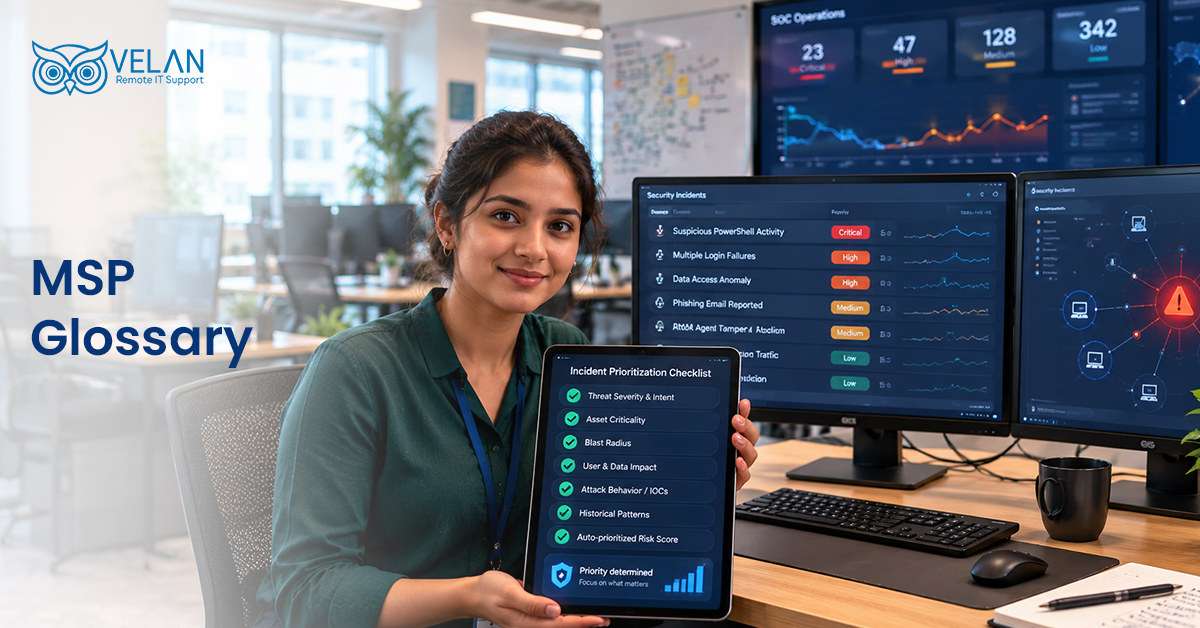
Technology is an area consisting of technical terms and abbreviations that may not always be easy to understand. This MSP glossary provides simple explanations of IT terms used by MSPs. This guide can help you understand important technical concepts more easily.
A
Access Control
Access Control determines who is allowed to access particular files, folders, systems, devices, or data. It is a security control process meant to protect sensitive information. Only those with the rights can view, use, or modify protected resources.
Active Directory (AD)
It is a directory service for Windows-based environments, developed by Microsoft. It provides a centralized system to manage users, devices, and network resources. Businesses use AD mainly like a phonebook to identify users and control access to resources.
Agent
MSPs install a small software application into customer devices to enable remote monitoring, data collection, and system management. These applications are called agents, and they act as a connection platform to perform remote monitoring activities.
Alerting
Alerting is basically an automated notification system. It informs IT teams when a problem or a security issue occurs in a customer environment. Alerts are configured based on specific conditions so that they can easily identify potential issues.
API
An application programming interface is commonly referred to as an API. It is a set of rules and protocols that enables different software applications to communicate and exchange information with each other.
Asset Management
The activities of creating, monitoring, maintaining, and optimizing IT assets systematically are called asset management.
Authentication
It is a verification process to grant access to protected data to users or systems. Some common authentication methods are passwords, verification codes, or the most common one, ‘I am not a robot’.
Authorization
Businesses assign different permission levels to users with respect to their job roles and responsibilities. Authorization decides what a user can access or do in a system.
Automation
Completing repetitive tasks with minimal human involvement with the help of various tools is called automation. With automation, efficiency can be improved, reducing manual errors.
After-Hours Support
After-hours IT support provides technical assistance outside standard business hours. It helps organizations keep their operations running by handling important issues even when the regular support team is unavailable on holidays and weekends.
AWS
AWS is a cloud computing platform by Amazon Web Services. It provides a wide range of service for storage, databases, networking, security, and other resources. Organizations can access these services as and when needed.
Alert Triage & Remediation
Alert triage and remediation is an incident management process of checking and fixing system alerts. IT teams review alerts to understand the severity of the issues and how quickly they need to be resolved. They solve the issues by addressing their root cause to help prevent them from happening again.
Azure
Microsoft Azure is a cloud computing platform that delivers databases, storage, processing power, and AI tools online. Its key features include a pay-as-you-go model, a network of over 60 data centers, and more than 200 services like virtual machines and AI training.
B
Backup
Businesses take copies of important data called backups regularly and store them in a safe storage space. These copies can be used to restore information if there happens a data loss due to system failure or cyberattacks.
Bandwidth
The amount of data sent within a specific time over a network is called bandwidth. It is calculated in bits, kilobits, or gigabits per second. It shows the maximum data transfer capacity of a wired or wireless connection.
Baseline
IT teams use a starting point to track changes and maintain consistency. It can be a specific setup, a set of controls, or a saved version of data at a particular time.
Behavioral Analytics
Analyzing how users and systems behave to identify patterns, trends, and unusual activities is called behavioral analytics. It helps improve security and user experience, supporting better business decision-making.
Blacklisting
MSPs configure systems to deny access to some particular IP addresses, domains, or apps that are suspected to be harmful. This process is called blacklisting.
Business Continuity Plan (BCP)
BCP is a documented plan that helps a business continue its important operations during a disruption. It provides clear steps and strategies to follow to keep the business running while the problem is being resolved.
Business Impact Analysis
BIA helps a business understand what may happen when its normal operations are disrupted. It helps identify important systems and activities and create plans to reduce problems and keep the business running.
C
Cloud Computing
Cloud computing platforms offer IT services and resources in a pay-as-you-go model. Physical resources can be moved to the cloud to gain better scalability and remote accessibility. AWS, Azure, and GCP are the most commonly used public cloud platforms.
Compliance
Industry regulatory boards set certain rules and standards to be followed by businesses operating in that sector. Adherence to these regulations is called compliance (HIPAA, GDPR).
Cybersecurity
Protecting computers, applications, data, and infrastructure from online threats is called cybersecurity.
D
Data Loss Prevention or DLP
DLP helps protect sensitive information from being lost or stolen by unauthorized persons. It uses advanced security tools and rules to keep important business data safe from leaking.
Dark Web Monitoring
The process of checking the dark web for stolen or leaked business information is called dark web monitoring. It helps companies find illegally exposed data and take action to protect it.
E
Endpoint Protection
Protecting devices such as computers, laptops, and mobile devices from cyber threats and other harmful activities is called endpoint protection.
F
Firewall
A firewall is a security system to protect systems from various digital threats. It monitors and controls the data traffic through a device or network. A firewall acts as a barrier between a trusted network and a harmful network.
G
Gateway
A gateway works as a connection for communication between different networks. It converts information like a translator when data passes between systems using different formats or protocols.
H
Help Desk
Help Desk is a dedicated team of experts provided by an MSP to offer assistance with technical issues and security concerns.
Hybrid Cloud
A hybrid cloud is a combination of on-premises systems and public cloud services. The system enables data and applications to work across both environments. This approach allows businesses and MSPs to keep sensitive information on local systems while using the cloud for suitable applications and less-sensitive workloads.
I
Incident Response
MSPs create a strategic plan to handle cybersecurity incidents. Incident response involves identifying and controlling risks as well as resolving threats. Incident response helps prevent similar security problems in the future.
Identity Management
The process of managing digital identities and access controls using various security measures in an organization is called identity management. It verifies users and devices, manages access rights, and ensures only authorized persons can access specific systems and data.
K
KPI
Businesses track progress toward a specific goal using some measurable values called key performance indicators. They show how well a project or team, or even a business, is performing and help businesses identify areas that need improvement.
L
Load Balancer
A hardware or software tool used to distribute traffic across multiple servers is called a load balancer. It prevents any single server from becoming overloaded. This improves application performance and reliability.
M
Managed Services
Businesses outsource IT services to a third-party service provider. Through managed services, these providers manage, maintain, and support the organization’s IT systems and services.
N
NOC
A Network Operations Centre (NOC) is a central location where teams monitor and manage network systems. It helps identify and resolve issues quickly. NOCs often provide 24/7 monitoring to maintain stable network performance.
O
Outsourcing
Outsourcing involves hiring an external expert team from a managed service company to handle specific IT tasks. Some MSPs provide white-label managed IT services to other MSPs with their holiday IT support and after-hours help desk service offerings.
Q
QoS
Quality of Service manages network traffic and gives priority to important data. MSPs use it to improve internet speed and reduce delays. It helps services like calls and video meetings work smoothly.
R
RMM
RMM is managing and monitoring devices from a remote environment using tools like NinjaOne and Atera. A managed service consultancy uses them to check servers, networks, and computers, find issues early, and provide quick support.
S
SOC (Security Operations Center)
A SOC is a team that monitors an organization’s IT systems for security threats. The specialized crew detects and responds to threats, protecting networks, servers, and data.
T
Ticketing System
A ticketing system is software used to manage support requests. Help desk teams use it to track, assign, update, and resolve customer or employee issues.
U
Uptime
The amount of time a system stays operational without any issues is called uptime. It is generally shown as a percentage. Greater uptime means that the system is highly reliable and available.
V
Vulnerability Management
Vulnerability management involves finding, checking, and fixing weaknesses in software and systems. This reduces security risks and helps prevent cyberattacks.
W
Web Services
Web services include different services needed to build and maintain a website. These may include web design, development, content writing, SEO, graphic design, and project management.
X
XDR
XDR (Extended Detection and Response) is a cybersecurity solution that detects and responds to threats across devices and networks. MSPs use XDR to improve threat monitoring and security response.
XSS
XSS (Cross-Site Scripting) is a web security vulnerability where attackers add harmful code to a website. The code can run in a user’s browser and may steal information or change webpage content.
Y
YARA Rules
YARA rules help security teams find and identify malware. They use specific patterns to detect known or suspicious files. Organizations can also create rules for their own security needs.
Z
Zero-Day Vulnerability
A zero-day vulnerability is a security weakness that is unknown to the software vendor or for which no patch is available. Attackers may use this for their benefit before the issue is discovered and fixed.
Zipper Malware
Malicious software kept hidden inside compressed ZIP files is called zipper malware. Attackers may use these files to avoid detection. Opening them can put systems at risk.
Zero Trust
Zero Trust follows the principle of “never trust, always verify”. It checks every user and device before allowing access. This helps protect systems and data.
Zone File
A DNS zone file stores information about a domain and its DNS settings. It helps connect domain names with IP addresses so users can reach websites.
Understanding IT Terms Is Just the Beginning. Your Business Needs More Than Definitions.
Get reliable managed IT services from Velan Remote IT Support. ISO 9001 and 27001 certified. Global IT Services
Categories
- Reports 01
- Azure 02
- AWS 04
- Remote IT Support 03
- Cloud Security 04
- Cloud Services 04
- Managed IT Services 012