How to Install Windows Defender Antivirus in Windows
How to Install Windows Defender Antivirus on Windows Servers 2019 and 2016?
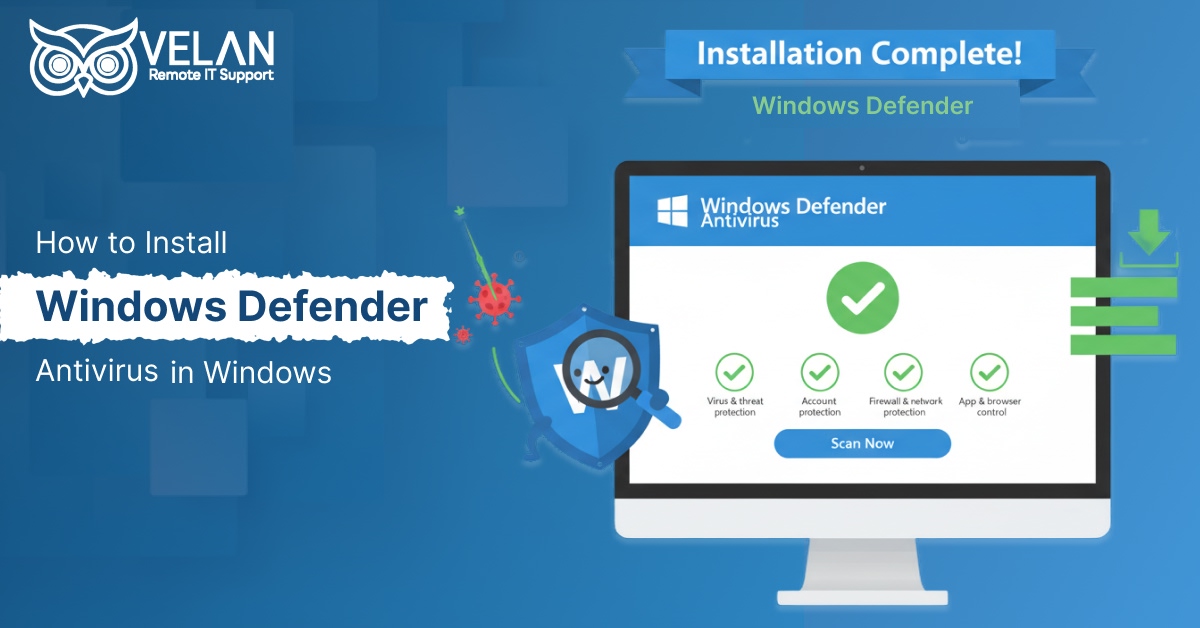
Windows Defender (or Microsoft Defender Antivirus) is a free, pre-installed security tool in Windows servers. It provides protection against various threats in real-time.
The Defender Antivirus integrates with tools like Microsoft Defender for Endpoint, Windows Defender System Guard, and Windows Defender Credential Guard.
For basic server protection needs:
The built-in Defender AV with proper configuration can provide first-level protection. Setting up exclusions, scheduling scans at proper intervals, and up-to-date definitions can help ensure effective security.
For advanced threat detection:
Getting a licensed Microsoft Defender for Endpoint offers behavioral analytics, EDR, and automated investigation and remediation capabilities. This offers advanced response and investigation capabilities.
How to Enable Windows Defender GUI on Windows Server
Checking the presence of Defender
- You may use PowerShell to see if Windows Defender Antivirus is already installed in your server edition:
Get-WindowsFeature | Where-Object {$_. name -like “*defender*”} |
ftName,DisplayName,Installstate
- Defender Antivirus GUI Installation in Windows 2016
Windows Server 2016 does not provide the Defender Antivirus GUI as a standard setting. So, we need to install it manually.
We can use the ‘Server Manager’ console to install the user interface. The utility provides a simple graphical interface so that you do not need PowerShell commands for installation.
Add Roles and Features -> Features -> Windows Defender Features -> GUI for Windows Defender feature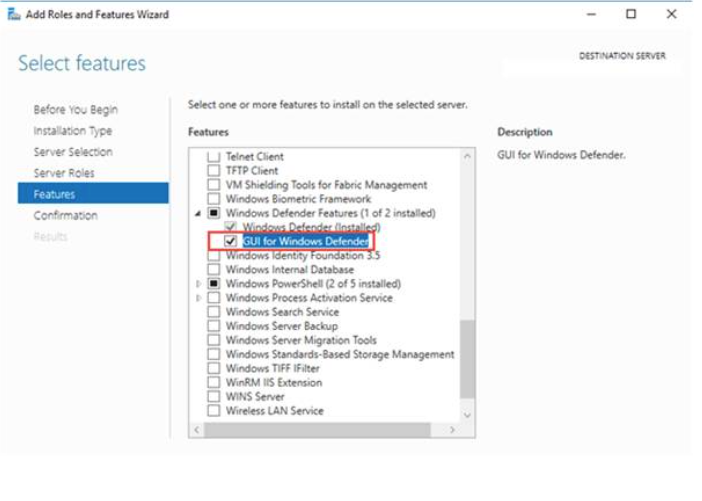
- Enabling Windows Defender antivirus GUI with PowerShell command
The following command installs the Windows Defender GUI. System managers can control Defender through a visual interface instead of using commands.
Install-WindowsFeature -Name Windows-Defender-GUI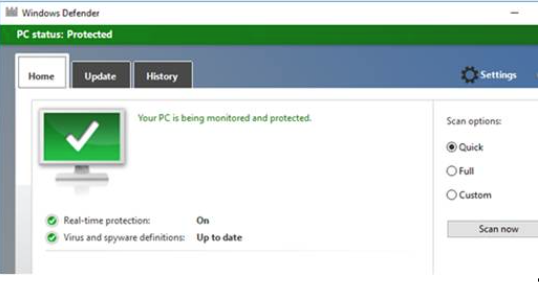
- Error in Defender Settings
Windows Server 2019’s Defender GUI is constructed upon the APPX program. Administrators can access it from Settings > Update & Security > Windows Security.
You can use the menu ‘Virus & threat protection’ for configuring Defender, viewing security alerts, and scheduling scanning.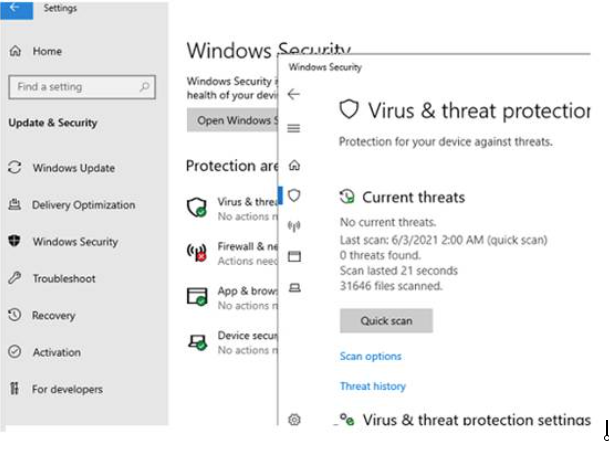
- If the Windows Security app does not open and shows the message “You’ll need a new app to open this Windows Defender,” we can understand that the app may be damaged or not registered correctly in Windows.
For this, you need to re-register the APPX programme using the PowerShell command
Add-AppxPackage -Register -DisableDevelopmentMode
“C:\Windows\SystemApps\Microsoft.Windows.SecHealthUI_cw5n1h2txyewy\AppXManifest.xml”
If the UWP (APPX) program has been removed completely, then you can manually restore it following the similar procedure used to restore a Microsoft Store application.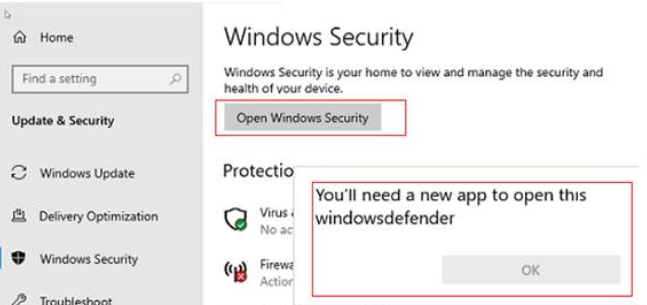
- PowerShell command for uninstalling Windows Defender GUI
Windows Defender can be removed using Server Manager or the PowerShell command:
Uninstall-WindowsFeature -Name Windows-Defender
Note that if the server does not have any other strong antivirus software, it is highly recommended not to uninstall Defender.
Conclusion
Windows Defender acts as a strong framework for protecting Windows servers from security threats. For newer versions of the servers, like Windows 2022, the procedures may vary, as Windows Defender is tightly integrated in them and can be managed through Windows Admin Center.
Velan Remote IT Services helps businesses with server administration services. Outsource server maintenance and monitoring solutions to Velan to get access to 24/7 help desk services to ensure improved security and reliable server performance.
Read answers to the frequently asked questions in Microsoft Defender
Microsoft offers an integrated security system called Windows Defender. Its primary function is to protect your server from threats like access violations and malicious activities. It scans and filters the incoming and outgoing network traffic, files, and websites to ensure protection.
Defender indeed covers all layers of basic protection. But trusting only Defender is not advisable. Many paid antivirus tools offer advanced and stronger security frameworks. Depending on your safety needs and the confidentiality of your data, you can opt for additional security over Defender.
Your system must run Engine Version 1.1.26040.8 / 1.1.26050.11 or later. You can verify this by opening
Windows Security > Settings > About. If your version is lower, trigger an update manually via Windows Update immediately
Categories
- Applications 013